Posts

Showing posts with the label Spotfire

Spotfire: How to add Gaussian Curve Fit to a chart using C# or IronPython code

Image
 Here is a Spotfire ScatterPlot with a Gaussian Curve.  It is straightforward to add it from the UI by right clicking on the chart, opening up properties dialog and adding a Gaussian Curve Fir from the Lines & Curves section: Here is how you would add it from the code:  var gaussianFittingModel = scatterPlot.FittingModels.AddNew<GaussianFittingModel>();
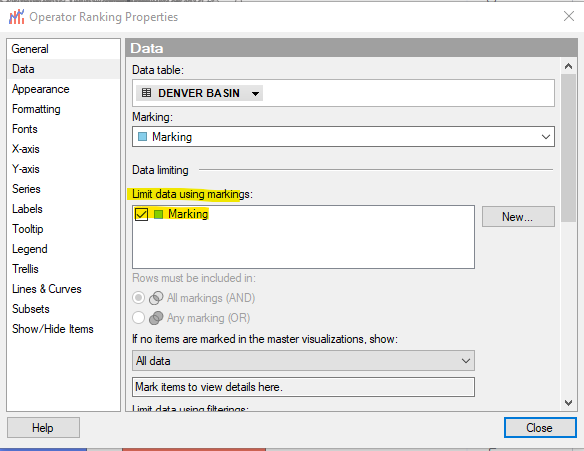
Spotfire Data Limiting - How to limit data using markings (C#, Ironpython)

Image
  Code: public static void LimitDataUsingMarking(this Visualization chart, Document document)         {             chart.Data.Filterings.Add(document.Data.Markings["Marking"]);         }

Spotfire How to control number of decimals displayed on Value Axis? How to apply number format to Chart axis?

Image
  If you want to apply a specific number format to the Spotfire Chart Axis, here is how you can accomplish it using the C# code:                if (DataType.Real.CreateLocalizedFormatter() is NumberFormatter realFormatter)             {                 realFormatter.DecimalDigits = 5; // Number of decimals                 barChart.YAxis.Scale.Formatting.RealFormatter = realFormatter;             } Here is how you can apply this changes in Spotfire:

Spotfire ScatterPlot Set Color By Category (C#, IronPython)

Image
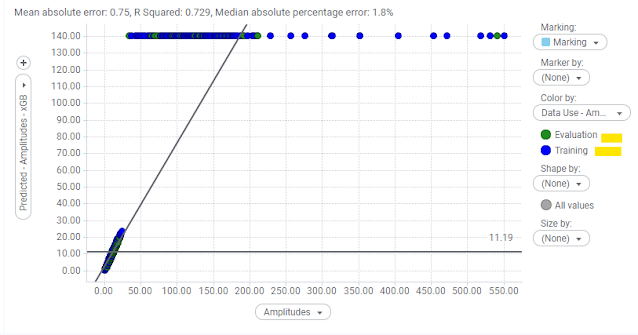
                var coloring = scatterPlot.ColorAxis.Coloring;             coloring.Clear();             coloring.DefaultColor = Color.White;             var categoricalColorRule = coloring.AddCategoricalColorRule();             var colorKeys = categoricalColorRule.GetExplicitCategories();             scatterPlot.ColorAxis.Coloring.SetColorForCategory(colorKeys[0], Color.ForestGreen);             scatterPlot.ColorAxis.Coloring.SetColorForCategory(colorKeys[1], Color.Blue);             scatterPlot.ColorAxis.Coloring.SetColorForCategory(colorKeys[2], Color.Orange);

Spotfire JSViz: How to Show or Hide Title of the visualization (C# extensions)

             var jsVisual = document.ActivePageReference.Visuals.AddNew<JSVisualizationModel>();             jsVisual.LegendVisible = false;             jsVisual.Visual.ShowTitle = false;